If you sell physical products online, Google Shopping campaigns should be on your radar. They put your product image, price, brand or store name and other details in front of people who are already searching for what you sell. That matters because the click is more qualified from the start. Someone can see the product and the price before they visit your site, which helps filter out low-intent traffic and can improve efficiency. Google’s own Merchant Center documentation makes clear that product data quality directly affects how products are matched and displayed in ads and free listings.
The challenge is that Google Shopping is no longer as straightforward as it once looked. Brands now need to think about:
- Product feeds.
- Merchant Center.
- Campaign structure.
- Bidding.
- Whether to use Standard Shopping or Performance Max:
- Performance Max can access Google inventory across Search, YouTube, Display, Discover, Gmail and Maps, while Standard Shopping offers tighter manual control. That choice has a real effect on setup, reporting and optimisation.
This guide breaks down how Google Ads Shopping campaigns work, what you need before launch, how to set one up properly and how to improve results over time. For more information or support from our team, get in touch with Key Principles to see how we can help.
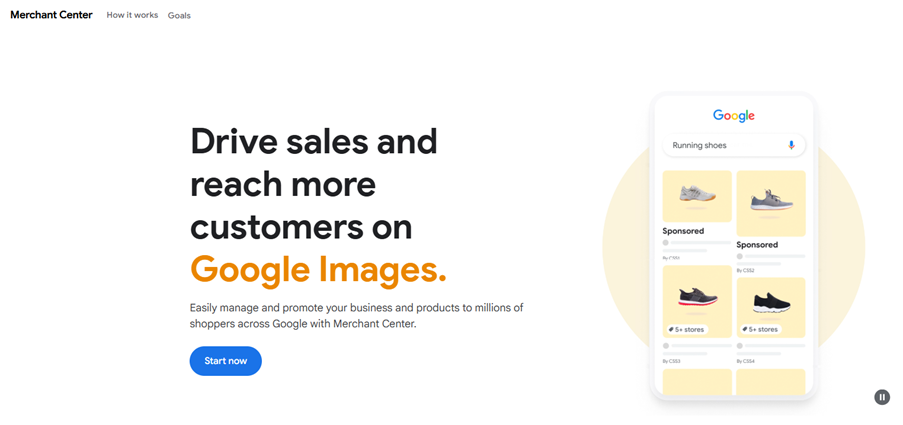
Image source: Promote Your Business with Merchant Center – Google for Retail
What are Google Shopping campaigns?
Google Shopping campaigns are product-based ad campaigns designed for e-commerce retailers. They don’t rely mainly on ad copy and keywords in the traditional sense. Shopping ads are about product data.
That means Google uses information from your feed:
- Title.
- Price.
- Brand.
- Availability.
- Image.
It uses this to decide when and where your product can appear. Google states that accurate and correctly formatted catalogue data is essential for successful ads and free listings. This also prevents disapproval and display issues.
This is what makes Shopping ads different from standard Search ads. With search-led PPC, you write headlines, choose keyword targets and guide the message directly. With Shopping, the product itself does much of the work. The image sells it. The title helps Google understand relevance. The price influences click quality. The feed becomes the foundation of performance.
For e-commerce brands, this can be a strength. It means your ads are tied closely to what you actually sell. It’s not just about what you can write in a headline. It also means a weak feed can hold back an otherwise good account.
Why Shopping campaigns are important in 2026
Shopping is still one of the most commercially useful parts of Google Ads for product-led businesses. It captures users close to purchase. They see visual context immediately and advertisers compete even when they do not dominate traditional text ads.
Product-led formats also remain eligible to appear around newer Google search experiences. This includes ad placements above or below AI Overviews, which means Shopping is not being replaced by AI-led discovery. It’s ‘folded’ into it in a way.
There is also a practical reason this format continues to matter. Google has not forced advertisers down a single path. Standard Shopping still exists for advertisers who want control. Performance Max gives wider automation across Google properties.
Shopping strategy is less about choosing the “new” option blindly and more about matching the campaign type to the business, budget and reporting needs.
Google describes Performance Max as a goal-based campaign type that complements keyword-based search campaigns by helping advertisers find more converting customers across Google channels.
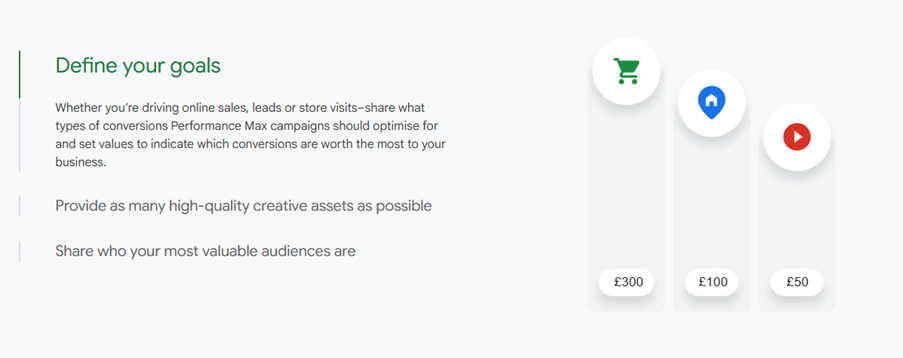
Image source: Google Ads Performance Max: Advertise Across Marketing Channels
What you need before you launch
Before you create a campaign in Google Ads, there are a few essentials to get right.
1. A Google Merchant Center account
Merchant Center is where your product data lives. It is separate from Google Ads, and it acts as the bridge between your e-commerce catalogue and Google’s ad system. This is where Google checks whether your product info meets its requirements and whether products are eligible to show in ads and listings.
Image source: How Google Merchant Center works – Google for Retail
2. A clean product feed
Your product feed is the engine room of Shopping performance. It usually includes product titles, descriptions, prices, image links, availability, shipping information and identifiers. Google’s product data specification explains that this structured data helps match products to the right queries and is central to both ad quality and eligibility.
If titles are vague, images are poor or required attributes are missing, the campaign may still run, but it will rarely run well.
3. A compliant website
Your landing pages should match your feed. Prices, stock status and product details need to be accurate. Google also expects retailers to meet editorial and professional requirements. In practice, that means your site should look trustworthy, product information should be clear and users should not click through to a mismatch between ad and page.
4. Conversion tracking
Before spending anything meaningful, make sure purchases are tracked correctly in Google Ads and, ideally, in GA4 too. Without reliable conversion data, automated bidding becomes guesswork.
How to set up a Google Ads Shopping campaign
Once the groundwork is in place, setup becomes much simpler.
Step 1: Link Merchant Center and Google Ads
Your Merchant Center account needs to be connected to Google Ads so products can flow into campaigns. This step is straightforward, but it is essential. Without the link, Google Ads cannot use your approved product data.
Step 2: Check feed health first
Do not rush into launch. Review diagnostics, fix disapproved items and check whether key products are fully approved. If your bestsellers are missing identifiers, using weak titles or failing policy checks, performance will suffer from day one.
Step 3: Choose the right campaign type
This is the first real strategic decision.
Standard Shopping gives you more visibility and more manual control. It is useful when you want clearer reporting, tighter product segmentation and more ability to manage bids and negative keywords.
Performance Max gives you a broader reach and more automation. Google says it can run across Search, Display, YouTube, Discover, Gmail and Maps from one campaign. That wider inventory can be useful, but it comes with less transparency.
For many businesses, especially those still learning what works, Standard Shopping is often the cleaner starting point. It gives you more direct feedback about product-level performance and makes it easier to diagnose problems. Performance Max can be highly effective later, particularly when conversion tracking is strong and the account already has useful data to work from.
Step 4: Set budget and bidding
If the account is new, begin with a realistic test budget. Not tiny, but not reckless. You need enough spend to generate data, yet not so much that weak structure burns money.
On bidding, advertisers often start with a more controlled approach and move into automation once enough conversion data is available. If your tracking is mature and conversion volume is healthy, smart bidding may help. If not, too much automation too early can make learning slower.
Step 5: Build sensible product groups
Don’t dump your entire catalogue into one undifferentiated bucket if products vary heavily by margin, demand or intent. Group products in a way that reflects commercial reality. That might mean splitting by brand, category, price band, margin or seasonality.
Step 6: Launch, then watch closely
The launch is only the start. The first few weeks should be about data quality, search query relevance, conversion rate, product-level performance and budget pacing.
Standard Shopping vs Performance Max: Which should you choose?
Many e-commerce teams get stuck here.
Performance Max is attractive because it promises reach and automation. Google’s official guidance positions it as a way to access all Google Ads inventory from one campaign. That can be useful for brands that want scale and are comfortable giving Google more control.
But control still matters. Standard Shopping remains valuable when you need:
- Clearer visibility into product performance.
- Tighter negative keyword handling.
- More deliberate segmentation.
- Better margin-aware bidding decisions.
If you are launching your first Shopping campaign or if your account has been underperforming and you need clarity, Standard Shopping is usually the easier place to learn. It forces cleaner thinking. You see the structure, you understand the products, you can make smaller, more informed changes.
If you already have strong conversion data, a healthy feed and enough budget to test properly, Performance Max can become part of the mix. For some brands, the strongest setup is a staged approach where Standard Shopping provides control and insight and Performance Max is tested for broader scale.
Image source: Increase Online Presence Reach Customers – Google for Retail
How to structure Shopping campaigns for better results
Good setup is not just about turning campaigns on. Structure shapes performance.
A common mistake is treating all products as equal. They’re not. Some products carry stronger margins. Some convert better. Some are seasonal. Some are entry-level traffic drivers. Your campaign structure should reflect those differences.
A solid starting point is to segment products using attributes you already have in your feed. Brand, product type, custom labels and price tiers are common options. Google’s data specifications support a wide range of attributes and accurate submission of those attributes affects how well products are understood and displayed.
Simple grouping may be enough for a smaller catalogue. For a larger retailer, it often makes sense to structure campaigns around intent, profitability or stock priorities. Custom labels are especially useful here. They let you push business logic into campaign management without cluttering the customer-facing product data.
Structure should also reflect operational reality. If a product line goes out of stock often, has thin margins or is being cleared, your Shopping setup should account for that.
Feed optimisation: The part too many advertisers underestimate
If there is one area that deserves more attention than it usually gets, it is feed optimisation.
Google Shopping is heavily feed-driven. That means product titles, descriptions, images, identifiers and attributes are not admin tasks. They are performance levers.
Product titles
Titles help Google understand what the product is and when it is relevant. Clear, descriptive titles usually outperform vague ones. Include the product type, important attributes and brand where appropriate, but keep it readable. According to Salsify’s research, 42% of shoppers abandon their carts because of incomplete or poorly-written product titles or descriptions.
Images
Images are central to click quality. Shopping is visual. If the photo is poor, cluttered or uninformative, the ad is easier to ignore.
Identifiers and attributes
Google uses submitted product data to match products correctly. Missing or malformed attributes can reduce visibility or create disapprovals.
Pricing and availability
These must match the site. Inconsistencies can hurt trust and trigger account issues.
How to optimise after launch
A Shopping campaign should not be judged too quickly, but it should be managed actively.
Start by reviewing:
- Product-level click and conversion performance.
- Search query relevance.
- Wasted spend areas.
- Impression share on key products.
- Feed issues and disapprovals.
- Device and audience patterns.
- Budget limitations.
Then improve systematically.
Tighten product groupings where needed. Raise bids or budget support behind products that are both commercially valuable and conversion-friendly. Reduce exposure on products that spend heavily without contributing enough. Use negative keywords where relevant to cut waste. Refresh titles and images for underperforming products before assuming the issue is bidding alone.
Where automation is in use, keep pressure on the inputs. Smart bidding can only optimise based on the data and structure you feed into it. If conversion tracking is patchy, product information is weak or the campaign lumps together wildly different products, automation will not fix those basics for you.
Common mistakes to avoid
A few issues come up repeatedly in underperforming Shopping accounts:
Launching before the feed is ready
This is one of the biggest errors. A messy feed limits visibility and relevance from the start.
Using the wrong campaign type for the account stage
Performance Max is not automatically the smartest first move.
Grouping products too broadly
When everything sits together, you lose control over budget and learn less.
Ignoring commercial context
Campaigns should reflect margin, stock, seasonality and product priority. Not just catalogue structure.
Trusting automation without strong tracking
Smart bidding and automated campaign types depend on clean data. Without it, the account can optimise in the wrong direction.
Where Google Shopping fits into a wider PPC strategy
Google Shopping should not sit in isolation. It works best when it is part of a wider e-commerce PPC strategy.
Search campaigns can still support brand terms, category terms and higher-control messaging. Remarketing helps bring back users who viewed products but did not buy.
Performance Max may help extend reach once the basics are in place. All of this sits more effectively on top of a healthy Merchant Center feed and a sensible Shopping structure.
That is why Shopping should be treated as a core part of e-commerce PPC rather than as a side feature. If your product data is strong and your campaign structure reflects how the business actually makes money, Shopping can become one of the most efficient acquisition channels in the account.
For brands reviewing their wider paid media setup, it makes sense to connect Shopping decisions with a broader PPC strategy, and where needed, book a strategy session to identify the best route forward.
Final thoughts
Google Ads Shopping campaigns can look simple from the outside. Products go in, ads go live, sales come out. In reality, they reward businesses that get the fundamentals right.
That means:
- A clean Merchant Center setup.
- Accurate and useful product information.
- The right campaign type for your stage.
- A sensible structure based on how your products perform.
- Ongoing optimisation after launch.
Shopping is still one of the most important e-commerce ad formats available. The businesses that do best with it are usually not the ones doing something mysterious. They are the ones paying attention to the feed, the structure and the data.