5 Tips to Help Your Google Business Profile Work Harder for You
Google Business Profile (formerly Google My Business) is an invaluable tool for businesses of all sizes. It enhances a company’s online presence and enables it to reach a wider audience. Essentially, it’s like your virtual storefront, helping potential customers discover information about your business like your location, hours and reviews.
Having a Google Business Profile is great but if you want to stand out and be seen above your competitors, you need to optimise it just like you would your website homepage – at least I hope you’ve done that! With the right approach and strategies, your Google Business Profile can drive more traffic to your business through improved visibility and customer engagement.
In this article, I’ll share 5 ways to improve your business profile. By following these Google Business Profile tips, you can make your business stand out online and stay ahead of the competition.
Tip 1: Perfect Your Business Information
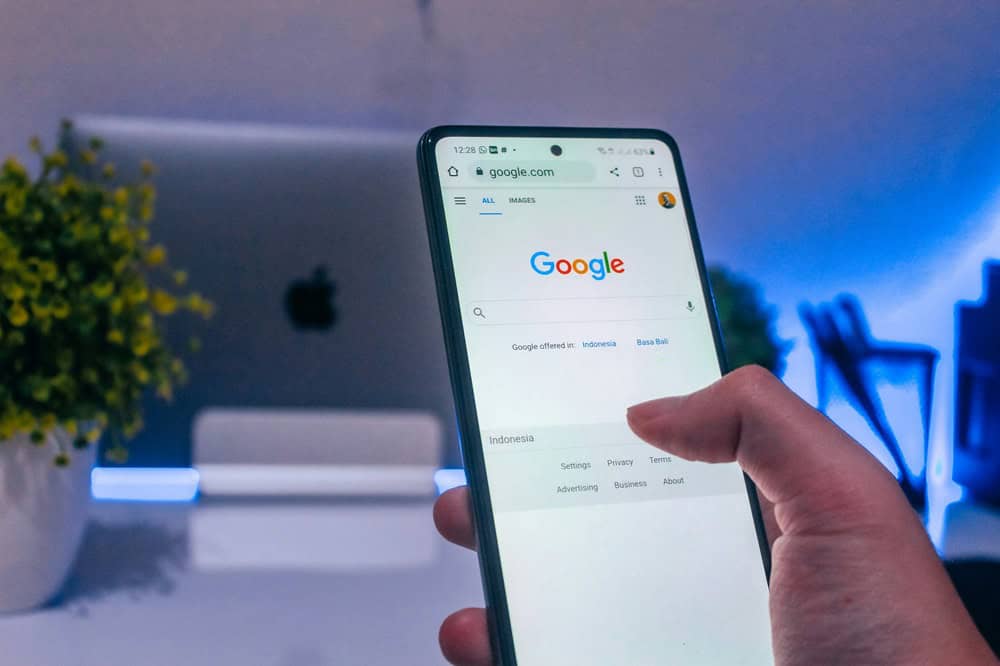
A successful Google Business Profile contains accurate and consistent information in line with other platforms. This builds trust with customers and but also the search engines will be trawling sites with the same information which they find as a positive clearly. When I say the same information, it is important that your company name, address and business hours are consistent across all online platforms, including Facebook, LinkedIn, and any other social media profiles. This consistency helps in building credibility and streamlining your digital presence.
With everything accurate and up to date—especially your operating hours—customers know when and how they can reach you, which is a first essential step. Actually, on the ‘how they can reach you’ front, I’d recommend using the Call-to-Actions (CTA) Buttons, that way you can guide customers to take specific actions, whether visiting your website, calling directly, or booking services.
Another critical aspect of a well-optimised Google Business Profile is proper categorisation. You should choose the categories that are most relevant to your business. This makes it easier for potential customers to find you when they search for specific services or products. For example, if you make wedding cakes, choose “bakery” or “wedding bakery” to attract your target audience.
As mentioned, it’s important to be consistent. You should update your profile regularly as and when there are changes. This should be when you move location, extend or change your opening hours seasonally or for bank holidays and when you have updates to your contact information.
In fact, having your business location or service area accurately displayed within your profile is also important. Known as geo-mapping, you need to accurately position your map marker and clearly define your service areas as this prevents any customer confusion and improves accessibility.
All the above makes your profile accurate, and it also signals to search engines that you’re reliable whilst updates on a regular basis shows the search engines you are active.
To summarise:
- Schedule regular checks to review and update your business profile details.
- Add special hours for events like bank holidays to keep customers informed.
- Use the “products” or “services” section to provide details about what you offer. Make this as comprehensive as possible. You can add product or service descriptions and ‘prices from’ for example.
- Ensure you have a clear call to action so the potential customer knows what to do next.
- Be clear on your location and service area.
- Add updates regularly to your profile – treat it like another social media channel.
Setting up a Google Business Profile
If you haven’t yet set up your profile, fear not! Here are the steps you need to take to get started:
- Claim your profile: This means you will have full control over how your business is represented on Google.
- Choose relevant categories: Select a few categories that describe your business accurately. Don’t choose too many as this could make your profile less effective in searches.
- Write a concise description of your business: Say what you are and what you do—be concise and make what you say count. Use clear, simple language with keywords that will help customers to find you. Think about what you really want your potential customer to know about you but more importantly explain how you can help them. In essence, answer the ‘What’s In It For Me’ question.
- Complete all information: Make sure you include details like opening times, contact information and your website link. If you have a physical location, place a pin accurately on the map to help customers find you.
Tip 2: Use Photos and Videos

As you’ll know from your website, high-quality visuals are important for attracting potential customers and encouraging them to engage with your business. The same level of thought is needed for your Google Business Profile (Google Business Profile). Images and videos show visitors a glimpse of your business. It helps them to form a connection before they even visit your website. Maintaining your gallery well shows you to be a professional, trustworthy, and approachable business so keep adding visuals to keep your profile up to date too.
You can make the most of your profile by uploading a variety of visuals like:
- Product images: For businesses selling products, show off your most popular, best reviewed or most unique items. Show what sets your business apart from its competitors.
- Team photos: Introduce members of the team or the people behind your brand. This creates a sense of familiarity and builds trust.
- Images of your shop/business location: If you have physical premises, include images to help customers identify your location.
- Customer interactions: Use images showing customers engaging with your products or services to build credibility and relatability.
Besides photos, you should consider using videos on your Google Business Profile page. These are highly impactful and often lead to higher click-through rates and engagement. Use short clips that highlight your services, show behind-the-scenes activities or customer testimonials to improve the appeal of your profile in the eyes of potential customers or clients.
Here are some further Google Business Profile tips relating to visuals:
- Use high-resolution images and videos to reflect the quality of your brand.
- Keep your profile relevant and fresh by updating your images and videos regularly.
- Include captions or descriptions for all images and videos for accessibility, SEO and to provide additional, relevant context.
Tip 3: Use Reviews Effectively

Customer reviews are so important for your Google Business Profile. You can say you’re the best at what you do but it’s much more effective (and believable) if someone else says it. Reviews build trust and credibility—and improve where you rank in local searches. Those with a steady stream of positive reviews will attract more customers. This will continue to be vital as potential customers may never visit your business and therefore rely on those reviews, almost as if they were a referral from a friend perhaps.
If you’re not getting reviews, encourage them. You could include a polite request in follow-up emails or on receipts saying something like “We’d love to hear your feedback! Please leave us a review on our Google Business Profile.”
Reviews are so important so why not check out our blogs on this topic:
Why Are Google My Business Review Important
20 Ways to Get More Reviews for Your Business
Responding to reviews also goes a long way to build your reputation. Responding to both negative and positive reviews is important. Thank customers for their kind words to reinforce the relationship and address negative reviews professionally to demonstrate you’re committed to customer satisfaction. Whenever responding, always be polite. If it’s a negative review, acknowledge the issue and offer a resolution where possible.
Top Google Business Profile Tips for Reviews:
- Respond within 48 hours to show customers that you care about what they have to say.
- Use the responses you make to reviews as an opportunity to showcase your brand’s values like quality or customer care.
- Monitor your reviews regularly to see if there are any trends. If there are common compliments, focus on maintaining this standard. Equally, if there are common areas for improvement, you’ll need to work on improving these aspects.
Tip 4: Post Regular Updates and Offers
Following on from Tip 1, I’ve expanded on one of the ideas here as it is so important. Keeping your profile active is an effective way to stay visible in search results. With updates, you can show what is happening in your business and promote special offers. Here are some different types of posts you could consider:
- Announcements: Tell customers about any new products or services or if there are any changes to the business-like opening hours. Click “add update.”
- Special offers or discounts: Tell customers about your current promotions and offers to entice them to visit or make a purchase. To do this, click “add update” and then choose “add offer.”
- Events: Share details of any upcoming events you have. This could be workshops, sales or community events. To do this, click “add update” and then choose “add event.”
- Useful information: Provide advice related to your industry to show your expertise.
- Social Media Update: Add relevant social media updates to your profile – as I wrote before, but for emphasis treat your profile like another social media marketing channel.
When adding updates, you can post images and videos and choose call-to-action buttons like book, order online, sign up and call now.
If you’re looking to create an engaging content plan for your Google Business Profile, schedule a strategy session and let us help you stand out online.
For your information, we add a post every week to our Google My Business / Google Business Profile to ensure there’s always something new being added.
Tip 5: Analyse Insights and Adapt
Having a great Google Business Profile isn’t a one-time affair and “job done.” Your profile is a great tool for gathering data to improve your strategy. Your profile contains an insights feature that gives you valuable information to help you understand how customers interact with your profile.
You can look at:
- Search queries: This shows which searches showed your business profile in the search results.
- Customer actions: You can see how many users clicked on your website, called you or asked for directions from your profile.
- Photo and post-performance: You can see which posts and visuals have been the most engaging and successful.
- Audience information: You can see where your customers are and how they’ve accessed your profile (e.g., on mobile or desktop).
To maximise the value of your profile insights, make sure you check your analytics regularly (around once a month) to monitor trends. It’s a good idea to look at the actual search queries to see which keywords are performing well too. This will allow you to fine-tune your approach to continue attracting customers.
Just like your website needs regular updates, so does your Google Business Profile 😊.
Turn Google Business Profile into a Powerful Marketing Tool
Think of your Google Business Profile as more than just an online listing like the Yellow Pages of days gone by. Rather, it is a powerful business tool that attracts customers, builds trust and grows your business. Being consistent and proactive will help you to stand out and remember, each update, photo and review response will contribute to the story your business tells online.
If you want any help with your Google Business Profile , your SEO or your whole marketing strategy, please book a strategy session and we can see how we can help you thrive in 2025 and beyond.